AI Instagram Captions That Sound Like You (Fast)

Caption Magic: Using AI to Transform Your Instagram Captions
Strong captions do more than fill space—they shape how posts are understood, shared, and acted on. The right words can turn a quick scroll into a save, a comment, a DM, or a click. AI can speed up the drafting phase, but the best results come from a simple workflow: give the tool the context it can’t guess, then refine the output so it sounds like you (not like a template).
What Changes When Captions Get Easier
When caption writing stops being the bottleneck, your content system gets smoother—and your posts get sharper.
- More consistent posting because you’re not staring at a blank text box minutes before publishing.
- Clearer calls-to-action that match the post goal (save, share, click, comment, DM).
- Better alignment between the visual, the hook, and the payoff—so the caption earns attention instead of draining it.
- Faster experimentation with different tones (friendly, expert, playful, minimalist) without rewriting from scratch.
A Simple AI Caption Workflow That Still Sounds Human
AI is best used like a caption assistant: quick drafts, multiple options, then human judgment to choose what fits the post and your brand.
- Start with the post objective: educate, entertain, build trust, or drive an action.
- Add context the AI cannot guess: audience, product/service, offer details, location, constraints, and the “one thing” the viewer should remember.
- Generate 3–5 options using different structures (short, story-based, list, Q&A).
- Edit in brand voice: swap generic adjectives, add specific proof, remove filler, keep sentences skimmable.
- Finalize with compliance checks: disclosures, claims, and sensitive topics.
Caption types and when to use them
| Caption type | Best for | Key elements | Watch-outs |
|---|---|---|---|
| Short hook + CTA | Reels, announcements | 1–2 punchy lines, clear action | Too vague if the post needs context |
| Story caption | Personal brands, founders | Conflict → lesson → takeaway | Overlong intros without payoff |
| Educational mini-guide | Coaches, service providers | Steps, bullets, quick examples | Generic tips with no specificity |
| Social proof caption | Products and services | Before/after, testimonial, measurable results | Unverifiable claims or missing disclosure |
| Conversation starter | Community growth | Question + two answer examples | Engagement bait that feels forced |
Make AI Captions Match Your Voice in Minutes
The difference between “AI-ish” captions and brand-right captions is usually one short editing pass. Make it easy on yourself by setting a few repeatable rules.
- Create a voice card: five adjectives (warm, direct, witty, etc.), taboo words, and typical phrases you actually say.
- Set boundaries: reading level, sentence length, emoji use, and formatting rules (line breaks, bullets, no all-caps, etc.).
- Keep a library of “brand truths”: positioning, differentiators, origin story, and common objections you can answer in one line.
- Use a consistent structure: hook → value → proof → CTA → optional hashtags.
- Replace clichés with specifics: numbers, timelines, tools used, constraints, and a real customer scenario.
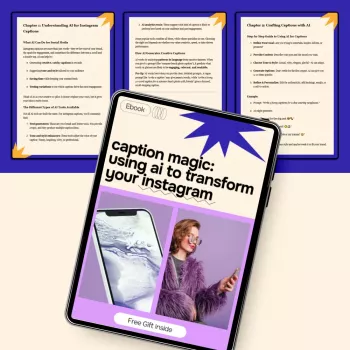
If you want a ready-to-use system for drafting, editing, and tightening captions quickly, Caption Magic: Using AI to Transform Your Instagram | AI for Instagram Captions eBook Guide for Creators & Small Businesses organizes the process into repeatable steps you can reuse across posts and campaigns.
Practical Caption Frameworks Creators and Small Businesses Can Reuse
Frameworks keep you focused. They also make it easier to generate multiple versions without losing the point of the post.
- Problem → why it happens → quick fix → CTA: great for service offers (e.g., “If your launches feel quiet, it’s often the hook. Try this instead… DM ‘HOOK’ for examples.”)
- Myth → truth → example → CTA: strong for expertise and trust (teach, then show the real-world application).
- 3 mistakes → 3 better options → CTA: built for saves and shares (clear contrast makes it memorable).
- Behind-the-scenes → decision made → lesson learned: ideal for brand building (show your reasoning, not just the result).
- Product spotlight → who it’s for → how it helps → proof → CTA: conversion-friendly without sounding pushy.
Pairing strong captions with strong visuals multiplies results. If you create AI-assisted imagery and want more control over photorealistic outputs, MidJourney Prompts for Realistic Images – Pro Guide to midjourney prompts for realistic images, Photorealistic AI Art, Digital Download for Creators can help you build more consistent, on-brand creative that your captions can “land” on.
Common Caption Mistakes AI Drafts Can Create (and How to Fix Them)
Ethics, Disclosures, and Platform-Safe Writing
- Disclose partnerships clearly and early (paid, gifted, affiliate). The FTC’s guidance is a solid reference: FTC Endorsement Guides: What People Are Asking.
- Avoid regulated claims (medical, financial, or other sensitive areas) unless you have substantiation and appropriate disclaimers.
- Respect privacy: remove identifying details unless you have explicit permission.
- Don’t fabricate testimonials or “customer stories.” Use real proof or keep scenarios clearly hypothetical.
- Keep accessibility in mind: readable formatting, minimal symbol clutter, and a consistent alt text workflow.
For platform rules and expectations, review Instagram Community Guidelines and relevant updates in the Meta Business Help Center.
Turn Captions Into a Repeatable Content System
FAQ
Will AI-written captions hurt authenticity?
Not if you treat AI drafts as a starting point. Authenticity comes from adding specific context, real experiences, and verifiable proof, then editing for a consistent voice and clear intent.
How long should an Instagram caption be?
Use the shortest length that delivers the point: Reels often do well with a tight hook and CTA, while carousels can support longer educational captions. Match length to the goal—clarity and structure matter more than word count.
Do hashtags still matter for captions?
They can help discovery in some niches, but stuffing hashtags usually hurts readability. A small, relevant set tends to work better than a long list, especially when the caption itself is strong.










Leave a comment