1080p Mini Projector: 1100 ANSI, Wi‑Fi & Bluetooth
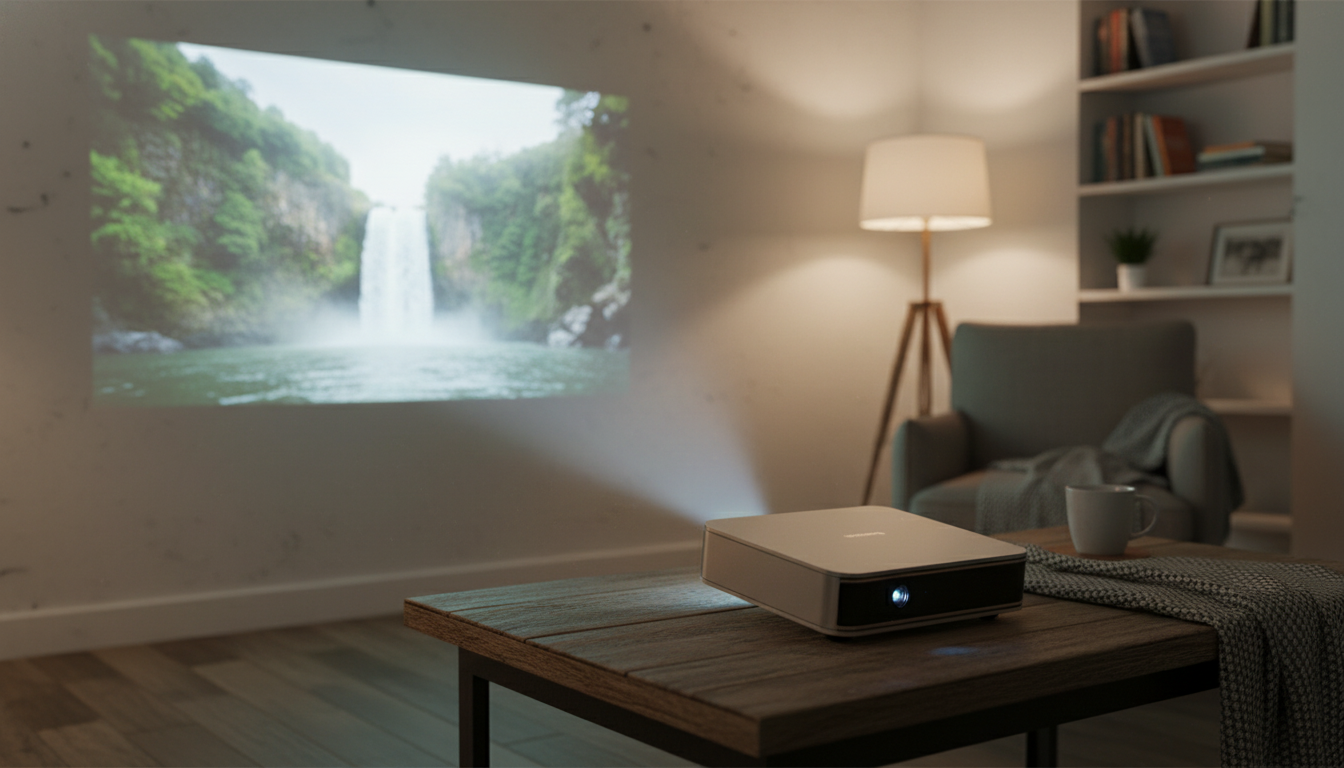
1080P Full HD LED Mini Projector for Portable Home Theater (Wi‑Fi, Bluetooth, 1100 ANSI)
A compact smart projector can turn a bedroom wall, living room screen, or backyard sheet into a cinema-style setup without a permanent TV. This 1080P Full HD LED mini projector combines portable sizing with higher brightness (1100 ANSI), wireless connectivity (Wi‑Fi), and Bluetooth audio support, aiming to make movie nights, casual gaming, and presentations simpler to set up and easier to share.
Quick look: what this projector is built to do
- Portable home theater projector designed for flexible placement and easy pack-up after use
- Full HD (1080P) output for sharper text and clearer detail than 720p-class projectors
- Higher-brightness 1100 ANSI rating for improved visibility in rooms that are not fully dark
- Wireless options for streaming/casting scenarios depending on device and app support
- Bluetooth support to pair with external speakers or headphones for better sound
If you want the product page, see: 1080P Full HD Projector LED Mini Portable Smart Home Theater 3D Wifi 1100 ANSI Cinema Bluetooth Beamer.
Who it fits best (and who should choose a different setup)
- Good match for apartment living rooms, bedrooms, dorms, or travel where a large TV is impractical
- Great for occasional big-screen nights and shared viewing where fast setup matters
- Helpful for users who want fewer cables and the option to route audio to a Bluetooth speaker
- Consider a brighter long-throw or UST projector if viewing often happens in strong daylight or under ceiling lights
- Consider a TV instead if the room cannot be darkened at all and instant-on convenience is the top priority
For people who host friends or move their setup between rooms, a mini projector is also easier to store than a large screen. The tradeoff is that projectors always benefit from controlling light—closing curtains and reducing direct light on the wall can make a bigger difference than a minor spec upgrade.
Picture performance basics: resolution, brightness, and 3D
- 1080P Full HD output helps with movie detail, subtitles, menus, and presentation slides
- 1100 ANSI brightness supports larger images and more comfortable viewing than lower-lumen mini projectors, especially with some ambient light present
- For best perceived contrast: use a darker room, a neutral-colored wall or screen, and avoid direct light hitting the projection surface
- 3D capability can enhance compatible content when paired with the correct source and glasses type (requirements vary by projector and playback method)
- Choose image size based on viewing distance and room light; larger images typically look dimmer than smaller ones at the same brightness
Brightness can be confusing because not all lumen numbers are measured the same way. “ANSI lumens” is a common standardized method used to communicate projector brightness more consistently across products; ProjectorCentral’s glossary is a helpful reference for how the measurement is defined: ANSI Lumens (brightness standard).
Practical viewing expectations
In a dim room, a 1080P projector can look crisp and cinematic—especially for streaming, sports, and console menus where clean edges matter. In moderate ambient light, keeping the image a bit smaller often produces a punchier look than pushing to the largest possible screen size.
Smart and wireless use: Wi‑Fi, casting, and everyday connectivity
- Wi‑Fi can enable wireless screen sharing or streaming workflows depending on the phone/PC and supported protocols
- Best results usually come from a strong 5 GHz network (when available) and keeping the projector within a reasonable distance of the router
- For streaming services, app restrictions may require using a dedicated streaming stick/box via HDMI for consistent playback
- Keep a wired backup option available for critical use (presentations, meetings, or latency-sensitive gaming)
- If mirroring feels delayed, switch to a wired connection or lower the output resolution from the source device
For the most reliable “works every time” experience, an HDMI streaming device is often the simplest path—especially when DRM rules limit what can be mirrored from a phone. If you’re shopping for cables or checking compatibility, the official HDMI resource is a solid reference: HDMI Licensing Administrator. For network basics and standards, the Wi‑Fi Alliance offers straightforward explanations of Wi‑Fi generations and capabilities.
Sound options: built-in audio vs Bluetooth speakers
Setup tips for a sharper, more cinematic image
Core specifications at a glance
| Item | What to expect |
|---|---|
| Resolution | 1080P Full HD output |
| Light source | LED |
| Brightness | 1100 ANSI |
| Wireless | Wi‑Fi |
| Audio | Bluetooth support for external speakers/headphones (compatibility varies) |
| Use style | Mini/portable home theater projector |
Care, longevity, and everyday troubleshooting
Related in-stock picks
- 1080P Full HD Projector LED Mini Portable Smart Home Theater 3D Wifi 1100 ANSI Cinema Bluetooth Beamer
- MidJourney Prompts for Realistic Images – Pro Guide to midjourney prompts for realistic images, Photorealistic AI Art, Digital Download for Creators
- Train Smarter and Make Your Gear Last – Sports Gear Care Guide, Digital Download eBook & Checklist for Athletes
FAQ
Is 1100 ANSI bright enough for daytime viewing?
It can handle some ambient light, but it looks best in a dim room. For daytime use, close curtains, avoid direct light on the wall/screen, and consider a slightly smaller image for a brighter-looking picture.
Can Bluetooth speakers be used without audio delay?
Sometimes, but latency depends on the speaker/headphones and the Bluetooth codec being used. If lip-sync feels off, try turning off extra sound processing on the speaker or switch to a wired audio option when timing matters.
What is the easiest way to stream apps reliably?
A dedicated streaming stick/box via HDMI is usually the most consistent approach because some apps restrict mirroring. For fewer dropouts, use a strong Wi‑Fi signal and keep device firmware updated.















Leave a comment