Camera Memory Full Too Soon? Fix SD Card Workflow

When Your Camera Says “Memory Full” Too Soon: A Practical Storage and Photo-Organization Workflow
A “memory full” warning often appears earlier than expected—sometimes right when the light is perfect or the action finally peaks. The usual culprits aren’t just “taking too many photos,” but a mix of file format choices, card behavior, leftover hidden files, and an inconsistent offload routine. Below is a practical, repeatable workflow that keeps shoots moving and keeps your files easy to find later.
Why “Memory Full” happens sooner than expected
Even a card that “should” last all day can fill quickly once a few variables stack up:
- Modern files get big fast. RAW files, high-megapixel sensors, continuous bursts, and 4K/8K video can chew through gigabytes in minutes.
- Usable capacity is always less than the label. Cards reserve space for formatting and file system overhead, so you never get the full printed number.
- Fragmentation and inconsistent deletion. Deleting individual images across multiple sessions can leave the card with scattered free space that’s less efficient for large writes.
- Hidden folders and leftover files. Moving cards between computers, phones, drones, or multiple cameras can add extra directories and indexing files that consume space and sometimes confuse the camera.
- Dual-card settings. Backup mode, overflow mode, or RAW/JPEG split can fill one card early; the warning you see depends on how your camera is configured.
Quick checks in-camera before changing anything
Before buying new cards or changing your whole workflow, do a fast in-camera audit. Small setting changes often make the difference between “card full at noon” and “card lasts the session.”
- Confirm image quality settings. Check RAW vs JPEG, RAW compression (compressed/uncompressed), and HEIF options if your camera offers them.
- Review burst usage. Long bursts can create hundreds of frames in seconds. If you’re “spraying,” try shorter bursts or a lower frame rate for non-critical moments.
- Check video settings. Bit rate and codec matter as much as resolution. High bit-rate modes can burn multiple gigabytes per minute.
- Inspect dual-card behavior. Overflow extends shooting time; backup is safer for once-in-a-lifetime work if you have enough cards.
- Find accidental “space hogs.” Scan playback for unusually long video clips or settings you forgot you enabled (like extended bursts).
SD card capacity planning (and why card speed still matters)
Capacity planning works best when it’s based on your real shooting day—plus a buffer for surprises.
- Plan for a full day, not a single session. If you regularly shoot bursts, bracketed sequences, or video, build extra headroom.
- Consider several medium cards instead of one huge card. It reduces risk: one card failure is a smaller loss, and it’s easier to rotate and offload.
- Speed prevents “workflow friction.” Slow cards can choke continuous bursts and high-bit-rate video, causing delays, buffer lockups, and missed moments—even before you hit full capacity.
- Avoid mixing cards across devices without formatting in-camera. Cross-device swapping increases leftover files and directory issues.
Storage planning cheat sheet (typical ranges)
| Use case | What fills the card fastest | Practical approach |
|---|---|---|
| Casual photos (mostly JPEG) | High-resolution JPEG bursts | One or two mid-capacity cards; offload weekly |
| Event/wedding (RAW + bursts) | RAW bursts, dual-card backup | Several matched cards; offload after every job; keep backups |
| Travel (mixed photo + video) | 4K video clips | Multiple cards; limit bit rate when possible; offload every 1–3 days |
| Sports/wildlife (continuous bursts) | Long burst sequences | Fast cards; manage burst length; offload frequently |
Formatting, deleting, and file-system hygiene
Most “mystery full card” problems trace back to card hygiene. The goal is to keep the card’s file structure simple and camera-friendly.
A simple offload workflow that prevents surprises
If you want deeper technical detail on card standards and speed classes, the SD Association is a solid reference point, and manufacturer guidance from Canon Support and Nikon Support can help confirm formatting and handling best practices for your specific model.
Photo organization that stays manageable over time
A ready-to-use guide for storage, cards, and workflow
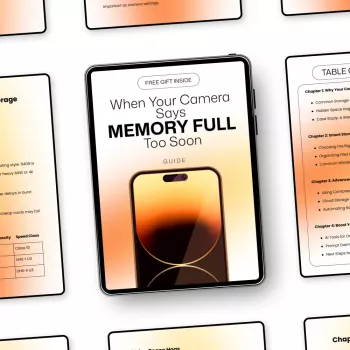
If you want a step-by-step system you can follow the same way every time, use the Smart Camera Storage Guide digital download. It combines card management, a clean offload routine, and practical photo-organization habits so your camera is ready when you pick it up—and your archives don’t turn into a mess.
For creators who also generate images for design, marketing, or content workflows, MidJourney Prompts for Realistic Images – Pro Guide to midjourney prompts for realistic images, Photorealistic AI Art, Digital Download for Creators can be a helpful companion resource to streamline asset creation once your storage and file organization are under control.
FAQ
Should an SD card be formatted in the camera or on a computer?
Format in-camera after you’ve confirmed your files are backed up. In-camera formatting aligns the file system to what the camera expects and clears hidden files more reliably than deleting folders on a computer.
Why does my 128GB card show less available space than 128GB?
Manufacturers label capacity using decimal units, while many devices display using binary units, so the number looks smaller. You’ll also lose a bit to file system overhead and reserved space, which is normal.
Is it better to use one large SD card or several smaller ones?
Several medium cards are often safer because one failure doesn’t wipe out an entire day. One large card can be convenient for long-form video or uninterrupted capture, but it concentrates risk in a single point of failure.










Leave a comment